Trying to keep a network safe can make anyone feel out of their depth. Not only are you fighting anonymous hackers and mysterious bad actors, but you also probably don’t know where to start.

Your resource for all things cybersecurity.
Sign Up to hear about new GlassWire updates, ways to protect your security and privacy, along with breaking GlassWire news.
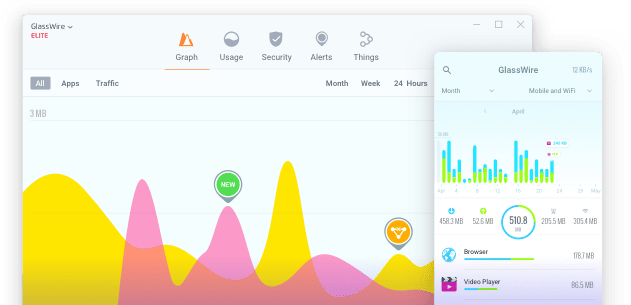
Trying to keep a network safe can make anyone feel out of their depth. Not only are you fighting anonymous hackers and mysterious bad actors, but you also probably don’t know where to start.

We were fortunate enough to see a reduction in ransomware cases in 2021, but it was not to last — […]

Nowadays, people are all about productivity. It is especially true for cybersecurity specialists as threats only increase.

Safeguarding your home network isn’t as simple as you might think. As time passes, more and more of our devices […]

Companies increasingly entrust information security to managed service providers. The model of managed security services is an alternative to building […]

If you’re a Windows user who cares about data usage, you’ve got a lot to be happy about. Windows 11 […]
Are you ready for a great October 2023? It’s not just a time for decorative pumpkins and ringing in fall weather. This is Cybersecurity Awareness Month — what better opportunity to harden your security stance?

Our collaboration with Domotz signifies a bold new era in network visibility. What lies ahead in the wake of this thrilling merger? Read through to set your expectations!

The newest version of GlassWire has rolled out, setting a higher bar for network monitoring and security software.This milestone update […]

We’ve infused GlassWire with a contemporary aesthetic that not only elevates its visual appeal but also heightens its user-friendliness.

Dear Users,We are thrilled to announce a significant enhancement to your GlassWire experience.GlassWire adopts PayPay as payment method. As part […]

If you’re like most people, you use WiFi without a second thought. Unless you’re experiencing an outage, you probably don’t care about what’s happening behind the scenes and most probably you don’t check your WiFi usage.

Instantly see your current & past network activity.
Detect malware, & block badly behaving apps.
 “…identify problematic
 “Beautifully informative”
 “…brings attention to suspicious
 “Who is your computer

Learn new ways to protect your computer and phone from online threats.

