Could the Hacking Team compromise hurt you or your company?
If you haven’t updated your computer or software in awhile, now is a good time to do so. On July 5th an Italian company called Hacking Team had 400 gigabytes of their confidential data posted to the public by an unknown individual. If Hacking Team was a normal tech company this breach probably wouldn’t matter to you. Unfortunately Hacking Team’s business was to create malware for governments and law enforcement agencies so they could monitor the communications of Internet users.
When the breach went public Wikileaks set up a way to search all of the breached Hacking Team emails. If you or your company has a popular software product or service you may want to search the database for your product name just in case.
After security researchers began to go through the Hacking Team data in detail they began to find many different zero-day vulnerabilities for many different things. For example Adobe Flash and Internet Explorer both had unknown vulnerabilities that Hacking Team was selling to governments and law enforcement organizations to monitor people of interest.
Can the Hacking Team breach cause problems for you? Yes it can if you don’t update your computer and software to the latest versions. Now that the zero-day vulnerabilities are public knowledge it’s possible for other malicious groups to start using these vulnerabilities for malware and spyware.
Today is a good day to run Windows update along with updating Adobe Flash if you haven’t already. Also, it may not be a bad idea to uninstall Flash and get rid of it completely. We blogged about ways to remove Flash yet still access Flash content several months ago. And of course using GlassWire to keep an eye on your network activity is another great way to see what your computer is doing over the network.
We’re excited to announce that the new advanced featured versions of GlassWire is now available for purchase!
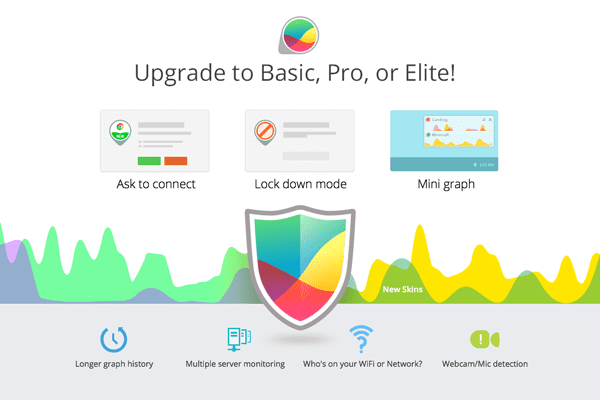
Longer History & More Remote Connections
GlassWire has a longer graph history and allow more remote connections along with many new features. Having a longer graph history allows you to keep your network data for a longer period of time. With our new multiple remote connections feature you can monitor many remote computers and servers simultaneously.
Ask To Connect & Block All Modes
One of the most requested features from GlassWire users was the ability to allow or deny new connections. “Ask to connect” prompts you before any new network connection is allowed with your computer. You can then allow or deny the connection. Not sure about the connection? Go to GlassWire’s Firewall tab and click the icon of the application that is asking to call out. Learn more about it and scan it with your antivirus.
If you’re leaving your computer for awhile “Block all” mode allows you to block all incoming and outgoing connections. Go to the GlassWire firewall tab then choose the “Block all” option to turn on this feature. Visit our Ask to connect section on the order page to see how these two new awesome features work.
Mini Graph
Another feature GlassWire fans have requested was an easy way to see the graph without having to open up the entire GlassWire application.
Go to the top left GlassWire menu and choose “Show Mini Viewer” to see a mini graph that appears on your desktop at all times. You can also mouse over the mini graph and click its settings icon to make the graph transparent.
Who’s on your WiFi?
Have you ever wanted to know who all was connected to your network or WiFi? Go to GlassWire’s new “Network” tab to see who all is there. Go to the GlassWire settings to get alerted when new devices join or leave the network. If you someone on your network shouldn’t be there, update your WiFi password or secure your network access points.
Webcam & Mic Access
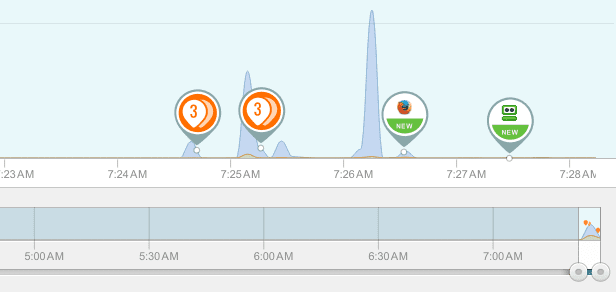
Some other new security features we included are GlassWire alerts when your webcam or microphone is accessed by an application. Check out the alert then click the icon of the application that is accessing your webcam or mic. See if it’s something you initiated, or if it’s something that could be a security threat.
New Skins & Hide Apps On The Graph
GlassWire’s major new release also includes new skins for the graph so you can choose more interesting color schemes, plus you can now hide network activity from some applications on the graph.
For example if you run some type of multimedia server from your PC or from a remote server and it’s constantly sending bandwidth that makes the GlassWire graph more difficult to understand we have a solution.
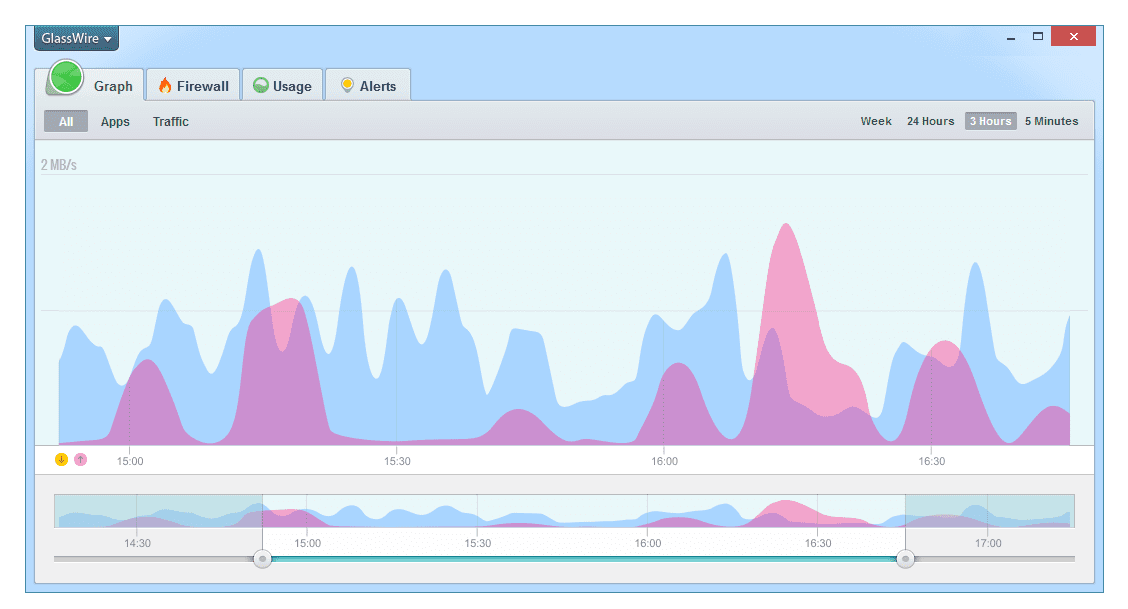
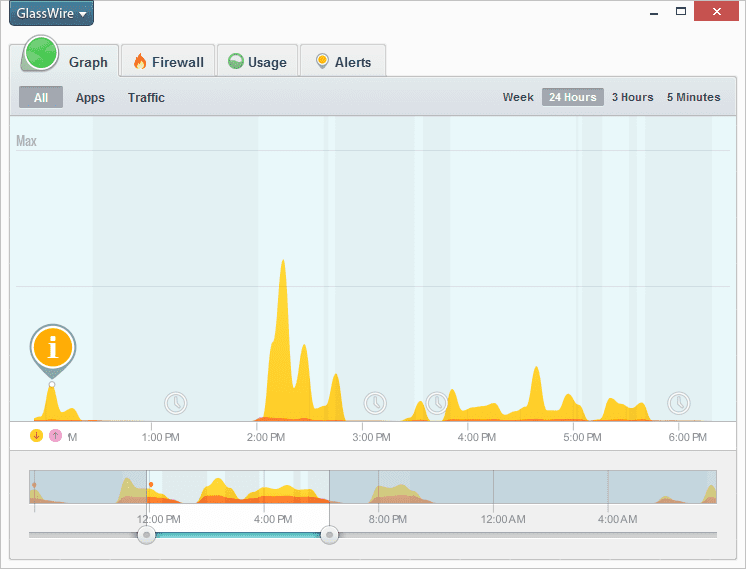
You can go to the GlassWire “Graph” tab then click “Apps” then click the app icon for the app you want to hide, then choose “hide app”. Once the app is hidden its data will no longer appear on the main graph window.
Before purchasing GlassWire Basic, Pro, or Elite first be sure you’re using the latest version of GlassWire that’s available on our download page.
Free GlassWire Features Are Still Free!
Please note that our original free GlassWire features are still available for free and we have only added more new features for our paying users.
You’re welcome to continue to use our free software with our original free features as long as you want but we hope you’ll find our paid features are worth upgrading to.
GlassWire 1.0.44b is now available for download. This update is signed with a new SHA256 certificate plus it also has some minor bug fixes.
Due to the new certificate some GlassWire could potentially see some issues. One issue some users have reported is a Microsoft Smartscreen desktop alert. This alert will appear as a large bar across the screen after you try to double click our installer. The second issue is a “Windows requires a digitally signed driver” error that may appear if you use Windows 7 and you haven’t yet upgraded to Service Pack 1 yet. To solve this problem please run Windows update and you shouldn’t see this error again.
If you’re seeing any other errors please let us know via email or please join our forum.
GlassWire 1.0.40b is now available for download. With this software update we focused on improving GlassWire’s memory usage. If you still feel GlassWire’s memory usage is high after this update please try clearing your history and see if that solves the problem.
To clear your history in GlassWire go to the top left “GlassWire” menu and choose “Settings” then press the “clear” button.
This update also has many other minor improvements and bug fixes.
GlassWire 1.0.38b is now available for download. This new update includes even more language options like Spanish, Portuguese, and Korean. Go to the top left “GlassWire” menu to choose your preferred language.
We have also made many other improvements to GlassWire including making GlassWire display properly for high resolution monitors, fixing a problem where remote connections did not work for some users, adding a new ability to mute specific desktop notifications under settings/security, and more detailed DNS change information as requested by users. This GlassWire update also has many other bug fixes and optimizations.
Thank you for reporting problems to us so we can continue to improve GlassWire. If you have feedback please email us or post in our forum.
Lately we hear about new Adobe Flash vulnerabilities almost everysingleday. It has become tiresome to update your own Adobe Flash version, let alone to try to get your family members and friends to do the same. If you’re an administrator of a large number of computers then I’m sure all these updates are making your life miserable.
We at GlassWire also became tired of constantly updating Flash and we decided to permanently remove it from all our devices, and guess what? It’s actually not a big deal to no longer have Flash installed. In fact we found that living without Adobe Flash is easy!
Did you know that the latest versions of IE and Google Chrome come with Flash built in? Obviously we aren’t major Chrome fans for obvious reasons and we recommend using Firefox as your primary browser, but you can keep Chrome on your Mac or PC just to use Flash if you need it.
You may be wondering why it’s safe to use the built in Flash in Chrome/IE, but it’s not safe to have Adobe Flash installed on your operating system. The quick answer to that question is that it may not always be 100% safe to use Flash in Chrome even though it’s sandboxed for your protection. We recommend you set all your browsers including Chrome to “click to play” mode. Bryan Krebs has a useful article that explains how to set up “click to play” on the major operating systems and browsers. “Click to play” turns Flash off by default where you must “click” to turn it on. If there is an exploit out there then it makes it less likely to automatically exploit your computer when you’re set to “click to play” but even with “click to play” on it’s possible to get tricked into playing something that’s unsafe.
Fortunately we found that not having Flash on our computers doesn’t matter much these days. Recently Youtube switched all their movies by default to HTML5 so you can still play Youtube as usual. Due to most mobile devices not having Flash installed you’ll find most modern browsers can play the vast majority of media out there without having Flash installed at all. Do you often come across videos you can’t play on your mobile device? If not then it’s likely you won’t miss anything on your PC or Mac either.
Now the last thing to do after reading this is actually uninstall Flash. Go to add/remove programs in Windows or your Mac settings, or check out these instructions.
Try living without Flash and we think you’ll find it’s great, plus no more annoying updates. Please comment here and let us know your results of living Flash-free and please don’t even get us started on Java. We assume you already uninstalled that one by now.
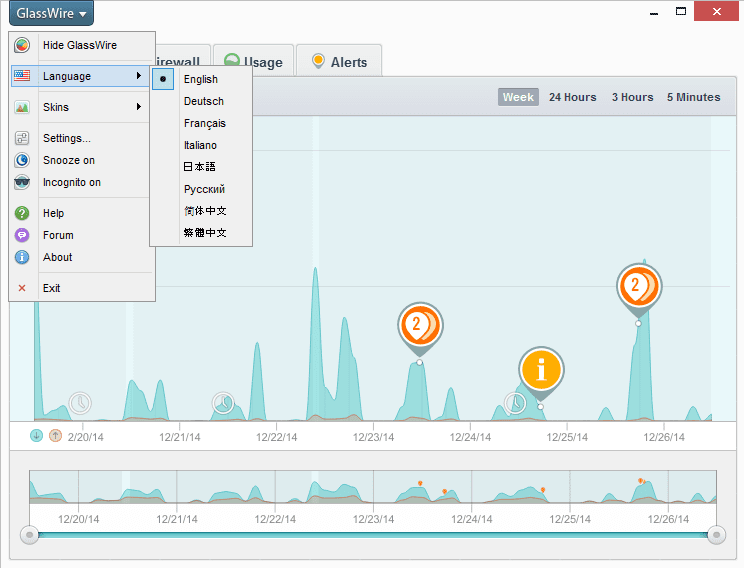
GlassWire 1.0.35b is now available for download. This new update allows you to use GlassWire in many different languages including German, French, Italian, Russian, Japanese, and Chinese!
To switch to a different language go to the top left GlassWire menu and choose “Language” to see what options are available. After you choose your new language option GlassWire will ask to restart, then GlassWire will begin working in your new chosen language.
GlassWire 1.0.35b also has many other security improvements and bug fixes.
Black Friday is the Friday after the Thanksgiving Holiday when many Americans start their Christmas shopping and it’s one of the biggest shopping days of the year. Unfortunately for GlassWire black Friday turned black for a very different reason. Google’s Chrome put GlassWire out of business by blocking 50% of our website visitors from downloading our software.
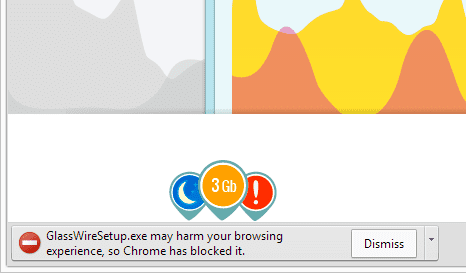
Friday morning we were shocked to receive emails from GlassWire fans stating that Google’s Chrome browser would no longer allow them to download our software. The error from Chrome said that GlassWire would “harm your browsing experience” (please see the photo above).
GlassWire is a privacy and security related software and makes absolutely no changes to the browser. By using GlassWire people can find applications or websites that are invading their privacy and in other situations GlassWire users can find malware their antivirus missed. We started GlassWire to help protect people from malware and we would never make changes to a user’s browser or computer without their permission. We have never bundled any software with GlassWire or made any changes to a user’s browser ever for any reason.
Occasionally all popular software gets false positives from antivirus software and I think that’s normal. Antivirus software companies almost always have a clear “false positive” submission form or another way to contact them to solve the problem. Also the antivirus business has a lot of competition so if one antivirus temporary gives your software a false positive then it won’t do major harm to your software installs. There is no single antivirus company that I know of that has 50% market share.
Unfortunately around 50% of our website visitors use Google Chrome so Google has now shut our startup down for half of our website visitors. We’re also extremely concerned how this false warning will effect our website ranking in Google’s search engine.
We requested a review in Google’s webmaster tools so we could be unblocked by Chrome but unfortunately for the thousands of people who visited our website with Chrome, GlassWire is now associated with malware that may “harm your browsing experience”.
I have read blog posts over the years about how Google blocked a website or ruined a business and it usually ended up that there was a valid reason for Google taking the action it did. In our case if I find out there is a valid reason we were blocked I’ll post it here so I can help other start-ups avoid this situation. Since GlassWire makes absolutely no changes to the user’s browser in any way I don’t understand how this block from Chrome could be valid.
GlassWire’s file is listed here on VirusTotal with no problems and of course we make no changes to any browsers at all and we never have.
After requesting a check by Google’s Webmaster Tools on Friday morning the Google Webmaster Tool replied by saying our software is still malware and refused to remove the block. We just submitted a second check via Google Webmaster Tools but we’re not sure what to do next. If Google Webmaster Tools gave the hash of the file that was supposedly malware so we could confirm it was ours that would be useful but instead they just show our .exe download link here https://www.glasswire.com/download/GlassWireSetup.exe.
Of the thousands of GlassWire fans that have downloaded the software on Firefox and IE since Friday, zero have reported or suggested that there is any problem with the software. We even put up our installer’s hash here with every software release so users can double check they are downloading the correct file.
It’s extremely upsetting to learn the project you poured your heart and soul into for over a year is now inaccessible by 50% of your website visitors. We have tried following Google’s guidelines to fix the problem but it isn’t working and their information is minimal.
Has your software been blocked by Chrome due to a false positive? Tweet to us at @glasswirelabs or post your comment below.
Meanwhile, to download GlassWire please use Firefox or Internet Explorer.
December 2nd Update: GlassWire is now unblocked by Chrome but Google Webmaster Tools still say we are infected with malware. However when we go to the “manual” page as suggested by Google we find that no actions are found. Also under “Security Issues” it says that “we haven’t detected any security issues with your site’s content”.
Our theory on this is that Google removed the block on their end but Google Webmaster Tools is still not updated on our end for some reason. Hopefully this won’t hurt our search results in the future.
Thanks everyone for your help on solving this problem and thanks to the people who helped at Google!
December 4th Update: Someone at Google informed us that we just needed to delete the last message about malware and it would clear up the malware report that appears after logon in Google Webmaster Tools. We deleted the message and now everything looks OK. We’d like to thank the team at Google yet again for clearing this up. Thank you!
GlassWire 1.0.30b fixes a crash some users were experiencing, plus we have also solved many other minor bugs and usability problems. Thank you for your help and feedback!
We have had quite a few requests for GlassWire for Mac via our forum. Are you interested in trying a version of GlassWire for Mac before it’s released to the public? If so please join our Mac email list to learn about news and unreleased alpha versions of the Mac software when it’s available.
Our Mac software isn’t close to being ready for release to the public and it’s going to take a long while to launch an alpha version but email list subscribers will be the first to know when there’s something to test.
This update has quite a few changes and bug fixes including:
– User interface optimizations including showing “away” time in the bottom mini graph and darker easier to read text.
– Security improvements including remote access passwords encrypted on the hard drive and remote access rate limiting along with a password strength indicator.
– There were also quite a few bug fixes, for example if you had trouble making a remote connection this bug is now fixed. We also improved GlassWire’s resource usage and we’ll continue to do so even more as time goes on. Some crashes users reported were also fixed. Also now users without an admin password on their computer (not recommended) can change GlassWire’s settings.